
The templates every service-based business needs in their CRM, plus the tools and resources to help you set them up and make them look good.
Let’s talk CRM templates.
Templates are your secret weapon for building a repeatable process without having to start from scratch every time. Inside your CRM, templates help you send the same emails without retyping them, update proposals in minutes, create an onboarding experience that makes clients feel like they are in great hands, and so much more.
Figuring out which templates to build and what to include can feel overwhelming at first. So here is my list of the templates every service-based business needs in their CRM, plus some of my favorite resources to help you design and set them up without the headaches.
Disclaimer: I may earn a small commission when you use my coupon code/link to any products or services from this website. I care about integrity, so you should know I only offer affiliate links for resources/programs I’ve personally used and loved in my business and my client’s businesses. Please only buy what you need, but rest assured knowing your support helps keep this content flowing!
Start with the basics
No matter what kind of service-based business you run, these are the non-negotiables. Every CRM setup needs them.
- Invoice
- Contract
- Custom Proposal – best if you’re fully editing and customizing your core service before sending to the client
- Pricing/Investment/Services Guide – sometimes this works better as a Canva PDF or presentation that gets attached each time a follow-up email goes out to a potential client
Build out your questionnaires
This is where I see most service providers underinvest in their CRM. A solid questionnaire system means less back-and-forth, better client prep, and smoother projects from start to finish.
For Everyone:
- Onboarding Questions (any prep or homework you need from your client before your start)
- Offboarding
- Private Feedback (can be done at each stage of working together)
- Social Feature or Case Study
- Team Onboarding
For Wedding Pros:
- Design Questionnaire
- Vendor List
- Event Plan/Timeline
- Wedding Party
- Music Selections
For Service or Marketing Pros:
- How to share access with your team
- Brand Discovery and/or Goals
- Revision/Approval Form
- Pre-Meeting or Post-Meeting Notes
- Project Check-In
Add the Advanced Features
Once the basics are in place, these upgrades make your CRM work smarter.
- Conditional Logic Fields: Not all CRMs support this, but if yours does, use it. When a client makes a specific selection, a new set of fields opens automatically. It keeps your forms clean and relevant.
- Standardized Proposals: Templatize your most common service offers so you are not rebuilding from scratch every time.
- Schedulers (or Built-in Scheduling): Let clients book directly inside the CRM workflow instead of jumping to a separate tool.
Create an eye-catching design
Now that you have identified which templates to create, let’s make them look good! And honestly…. Let’s leave Canva out of this right now…. Because you want this focused for interactive files like proposals, contacts, invoices, & questionnaires.
These are the ones clients open, read, and sign, and they should look as polished as the rest of your brand.
Here are some resources I recommend, organized by platform
HoneyBook
Rebel CEO® HoneyBook Templates
We just launched our first HoneyBook smart file template, and it was built specifically for wedding pros.
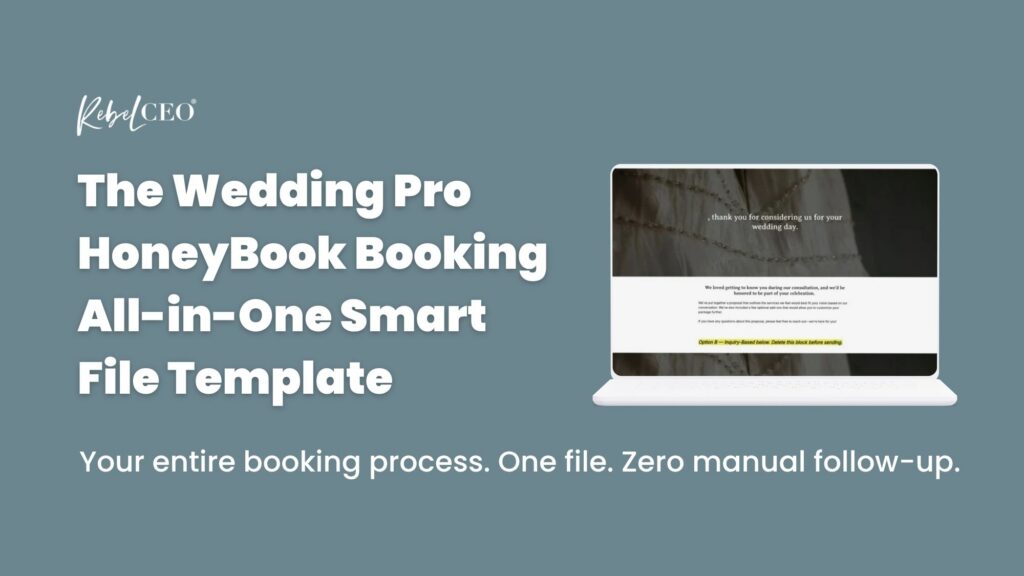
If your current booking process involves multiple emails, chasing down signatures, and manually sending invoices, this fixes that. It takes your wedding clients from first inquiry to paid deposit in one clean, professional flow inside HoneyBook.
Here is what is inside:
- Page 1: Introduction with two versions (consultation-based and inquiry-based), bio, team section, testimonials, client journey, and FAQ
- Page 2: Services page where clients select their package and add-ons
- Page 3: Contract with e-signature built in
- Page 4: Itemized invoice with a 2-payment schedule
- Page 5: Deposit payment collected directly inside HoneyBook with autopay option
Setup takes under 2 hours and works for wedding venues, coordinators, planners, photographers, florists, and any wedding service provider on HoneyBook.
→ Grab the Wedding Pro Smart File Template
Don’t have a HoneyBook account yet? Save 30% off your first year.
Dubsado
Forms & Flows by Cait Potter
Beautifully designed CSS form kits, code-free form kits, and industry-specific flow kits built specifically for Dubsado. Whether you want full design control or a totally code-free experience, there’s an option for you.
Here are 4 workflows to help you quickly create an out-of-this-world client experience without the tech headaches.
- Workflow Kit for Social Media Managers
- Workflow Kit for Mobile Bar Owners
- Workflow Kit for Wedding Stationery Businesses
- Workflow Kit for Wedding Designers
Search and Grow
Beautifully designed, no-code-required Dubsado form templates built specifically for creatives. If you want your proposals, contracts, and questionnaires to look custom without touching a single line of code, this is worth a look.
Dub-Ins Genie
Want your Dubsado forms to look custom without touching a single line of code? Genie makes it possible. Build beautifully branded templates directly inside Dubsado with one-click publishing — no copy-pasting, no tech headaches.
Don’t have a Dubsado account yet? Start your free trial.
Aisle Planner
Aisle Planner has some solid built-in resources to help you get started with templates. Check these out:
Don’t have an Aisle Planner account yet? Start your free trial.
Good CRM systems start with the right templates. Know what you need, set it up well, and make it look the part.
You do not have to overhaul everything at once. Start with the piece causing the most friction right now and fix that first.
And if you want support while you do it, that is exactly what we are here for.
Want more CRM Support?
Not sure where to start with your CRM setup? Grab our free CRM onboarding checklist and get your backend organized without the overwhelm.
Ready for more?
CRMs Made Easy is a membership built to help service-based business owners actually understand and use their CRM. Whether you are on HoneyBook, Dubsado, or Aisle Planner, you will find exactly what you need to get set up and stop avoiding your backend.
Inside you will find:
- Step-by-step CRM setup guidance
- Email templates with real merge field examples
- Client journey mapping tools and templates
- Workflow walkthroughs and prep resources

